Touchgrind BMX 2
Illusion LabsSports
4.75.07K Reviews
- Version
- 2.5.2
- Installs
- 50.00M
- Age Rating
- Everyone
Screenshots
Our Review of Touchgrind BMX 2
 Analysis by Appyee
I installed Touchgrind BMX 2 expecting a quick stunt game, and that is exactly how it first feels: easy to start, difficult to master, and unusually focused on the physical feel of controlling a bike with touch. Illusion Labs keeps the idea compact. You are not guiding a rider through a huge open world or managing a full racing career; you are handling the bike itself, building speed, launching from ramps, and trying to turn a short run into a clean sequence of tricks.
That narrow focus gives the game a clear personality. It belongs to the sports category, but it plays more like a precision toy than a conventional BMX simulator. The free download makes it simple to try, while optional purchases ranging from $0.99 to $24.99 per item create a reason to think about how far you want to take the experience. I enjoyed it most in short sessions, when I had a few minutes to repeat one challenge and improve a movement that had almost worked.
The game has a 4.6 average from around 337 thousand ratings and has passed 50 million installs, which fits my impression that it has broad appeal without becoming a generic arcade title. It is rated Everyone, and the minimum operating-system requirement is version 10. Illusion Labs released it on December 13, 2018, and the current version is 2.4.10. Those details matter mainly because this is an established, accessible game rather than a new experiment that still feels unfinished.
A compact stunt game with a strong visual identity
I found that the game’s compact scope is its defining strength: it keeps my attention on the bike, the course, and the timing of each attempt rather than spreading play across a larger career or world. That focus also makes its visual choices matter, so I’ll look at how the environments help me read a jump before turning to the touch controls and their learning curve.
The first few minutes teach your fingers, not just the rules
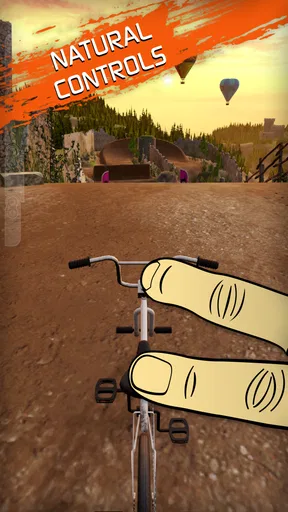
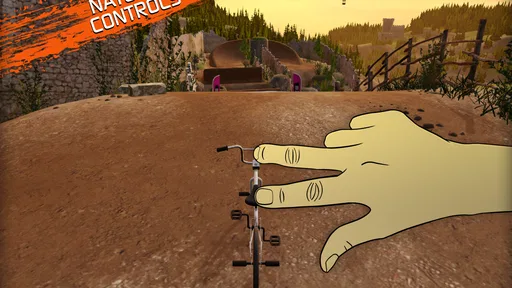
The opening experience is deliberately tactile. Instead of relying on a large collection of buttons, the game asks me to use gestures and finger placement to influence the bike. That makes the first attempts slightly awkward. I understood what I wanted to do before I could consistently make the bike do it, especially when a jump required a quick change from steering to trick control.
That learning curve is the main reason the game feels satisfying later. A successful landing does not seem like a random reward. It usually comes from better timing, a more controlled approach, or a less ambitious trick choice. I found myself replaying sections not because the game forced me to, but because I knew exactly where my input had gone wrong.
The short-run format works well on a phone. I can play while waiting for an appointment, then stop after a handful of attempts without losing the sense of progress. A longer session is possible, but the game is at its best when I treat each run as a small experiment: approach the ramp differently, hold the gesture a little longer, or aim for a safer landing instead of chasing a spectacular finish.
Its environments communicate through shape and color
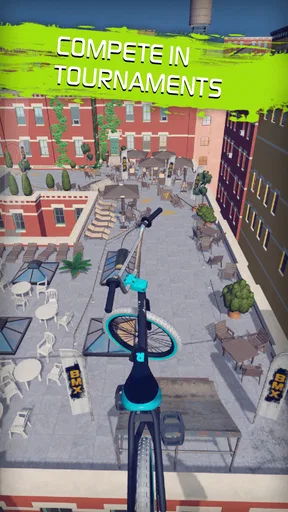
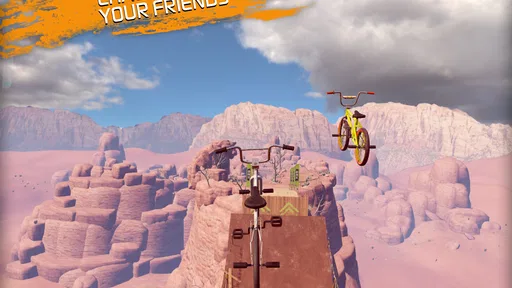
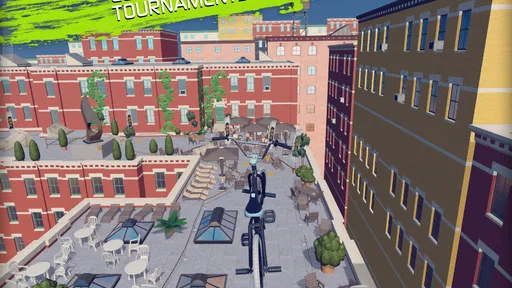
The settings are important because they turn each course into more than a line of ramps. The game presents BMX spaces with a stylized, carefully arranged look. Rails, platforms, gaps, and launch points are visually distinct, so I can often read the intended route before I have memorized it. The art direction does not try to imitate a realistic outdoor ride in every detail. It creates a clean playground where the next decision remains visible.
I particularly like the way the scenery supports movement. A ramp is not merely decoration; its angle tells me whether I should prioritize height, distance, or preparation for a landing. A narrow platform changes the risk of a trick, while a wider landing area gives me room to attempt something more ambitious. The visual language therefore serves the mechanics instead of competing with them.
This clarity also helps when I return to a familiar course. I begin to recognize landmarks as timing cues. A particular edge tells me to prepare for a jump, and a gap suggests that a stylish trick may not be worth sacrificing the landing. That is a subtle strength: the environments become readable through play, not through long explanations.
The camera makes the bike feel like the main character
Many sports games place the player behind an athlete and emphasize the character’s animation. Here, my attention stays on the bicycle, its rotation, and its relationship with the course. That choice gives the game a distinctive visual mood. I am watching momentum and balance rather than following a rider through a cinematic sequence.
It also explains why small mistakes feel so immediate. If the bike approaches a platform at the wrong angle, I can see the problem developing. There is little distance between my gesture, the bike’s movement, and the result. The presentation makes the controls feel exposed, which can be frustrating during early attempts but rewarding once I learn to anticipate the bike’s behavior.
Sound gives each attempt a quiet sense of momentum
The audio is not the loudest part of the experience, and I think that is the right decision. The game’s mood comes primarily from motion, visual space, and the repeated rhythm of takeoff, trick, and landing. Sound supports that rhythm rather than turning every successful move into a noisy celebration.
When I play with audio on, the course feels more connected. Landings have a physical quality, and the movement from one obstacle to the next feels less like moving icons around a screen. When I need to play quietly, the game remains understandable because the visual feedback is strong enough on its own. That makes it suitable for a quick public-transport session or a break at work, provided I am comfortable concentrating on precise gestures.
The restrained presentation also keeps failure from becoming exhausting. A missed landing is disappointing, but the game does not bury the mistake under a long cutscene or an elaborate restart sequence. I can try again quickly and keep the mental rhythm of the course. For a stunt game built around repetition, that pacing is more valuable than flashy presentation.
Where the rhythm succeeds and where it can wear thin
The pacing is strongest when I am learning a route or refining a trick. Each attempt has a clear purpose, and the immediate restart encourages small adjustments. The same structure can feel repetitive if I am not in the mood to practice. This is not a game I choose when I want a story, a large social system, or constant novelty. Its pleasure comes from improvement inside a limited activity.
I also noticed that ambitious tricks can interrupt the flow when I attempt them without enough preparation. The game rewards planning the whole jump rather than improvising every movement in midair. That is a useful design lesson, but it means casual players may initially feel that the controls are less forgiving than expected from a free mobile sports game.
Why the touch controls feel different from ordinary racing games
The biggest mechanical distinction is that the controls are built around the bike’s movement instead of a standard left-right steering scheme. In a typical mobile racing game, I can often hold a direction, follow a track, and let the game handle much of the vehicle’s physical behavior. Here, I have to think about how my fingers affect rotation, balance, and the timing of a trick.
That makes the game more personal but also less immediately comfortable. A player who wants automatic acceleration, broad steering assistance, or a forgiving arcade line may prefer a conventional racer. Someone who enjoys learning a gesture and seeing it produce a precise physical response will likely appreciate this approach more.
My practical advice is to begin with conservative movements. I found it more useful to learn how to land reliably than to attempt the most impressive trick as soon as it became available. Once the basic timing felt natural, I could add complexity without losing control. The game rewards patience in a way that is easy to miss if I treat every ramp as an invitation to show off.
Small adjustments make a bigger difference than dramatic gestures
One of the less obvious lessons is that control is often about restraint. A large, fast gesture may create an exciting rotation, but it can also leave too little time to correct the landing. I had better results when I treated each trick as a sequence: prepare before takeoff, make the main movement, then focus on alignment instead of continuing to add input.
This workflow turns the game into a kind of touch-based timing exercise. It is not only about knowing which gesture produces a trick; it is about choosing when not to use one. A safe landing can be the smarter move when the next section is narrow or when a failed attempt would erase a strong run.
That trade-off gives the game more depth than its short sessions suggest. I can play for a minute and still make a meaningful decision, because every jump asks whether style or stability is more valuable at that moment. The best runs are not always the ones with the most dramatic movement. They are the ones where the tricks fit the available space.
Who will enjoy the challenge and who should skip it
I would recommend this game to someone who likes score chasing, physical touch controls, and the satisfaction of repeating a section until the result feels clean. It is especially good for players who enjoy games that can be understood quickly but continue to demand practice. The age rating of Everyone also makes it approachable for a wide audience, although younger players may still need time to become comfortable with the precision required.
I would be more cautious about recommending it to someone looking for a relaxed downhill ride or a broad BMX career mode. The game expects attention. Even a short session can become intense when I am trying to land a difficult trick, and the repeated attempts may feel like work rather than entertainment if I dislike trial and error.
It is also not my first choice when I want a conventional racing experience. A standard racer is better for following a course, overtaking opponents, and enjoying a more predictable control scheme. This game is better when the bike itself is the puzzle and the satisfaction comes from mastering a movement.
How the free model affects the experience
The game is free to download, which lowers the barrier to trying its control style. That is important here because the controls are personal: some players will immediately enjoy the tactile approach, while others will find it less natural than buttons or tilt controls. Being able to test the core experience before spending anything is a genuine advantage.
Optional in-app purchases are available, from $0.99 to $24.99 per item. I would approach those purchases as a choice about extending or customizing the experience rather than as a reason to install the game. The core question is whether I enjoy practicing the courses and tricks. If I do not, additional content would not solve the underlying mismatch.
For a new player, I would spend time learning the basic movement before considering any purchase. That prevents a common mistake: paying for more possibilities before knowing whether the central control system suits your hands. The game’s strongest value is in its physical feel, so that is the part worth evaluating first.
A realistic everyday session
My most natural use case is a ten-minute break. I can start a run, focus on one jump that has been causing trouble, and stop after a few successful attempts. The game does not require me to remember a complicated story or rebuild a long strategy after a pause. I simply return to the movement I was practicing.
That same convenience works well for travel, waiting rooms, or a short evening session when I do not want a demanding long-form game. The limitation is that precision play is not ideal when I am distracted. If I am walking, multitasking, or using a small screen with poor grip, the controls become harder to manage. This is a focused pocket game, not background entertainment.
The current version and long-term appeal
The current version is 2.4.10, and the game’s established presence gives it a more dependable feel than a newly released stunt title. I would still judge its long-term appeal by my willingness to practice rather than by the amount of time I can spend inside it. The structure is intentionally focused, so it does not need to become an all-purpose sports platform to work.
After several sessions, I found that the atmosphere and mechanics reinforce each other. The clean environments make the bike’s path legible, the sound gives landings weight, and the quick pacing encourages another attempt without making failure dramatic. None of these elements would be enough alone, but together they create a coherent mood: concentrated, playful, and slightly demanding.
My final take on the atmosphere and the riding
The best reason to play Touchgrind BMX 2 is the connection between visual space, sound, and touch control. The art direction turns ramps and platforms into readable invitations, the audio supports the rhythm of movement, and the mechanics make each landing feel earned. I never mistook it for a full BMX simulation, and I do not think it needs to be one.
There is friction in the learning curve, and players who want effortless arcade action may lose patience. The free model also includes optional purchases, so I would try the basic experience first and decide later whether it deserves further spending. Those are real considerations, not minor footnotes.
For me, the game works because it gives a small screen a clear physical identity. I can see the route, feel the timing through my gestures, hear the landing, and immediately understand why a run succeeded or failed. If that kind of focused mastery sounds appealing, Illusion Labs’ game is worth trying. If I wanted racing opponents, a story, or a more forgiving ride, I would choose a different sports game instead.
Privacy and Permissions
See what permissions an app requests and how it handles your data.
- Photos/Media/Files
- read the contents of your USB storage, modify or delete the contents of your USB storage
- Storage
- read the contents of your USB storage, modify or delete the contents of your USB storage
- Wi-Fi connection information
- view Wi-Fi connections
- Other
- view network connections, full network access, control vibration, prevent device from sleeping, Google Play license check
Verdict
Strengths of Touchgrind BMX 2
- Realistic physics make every trick feel satisfying to master.
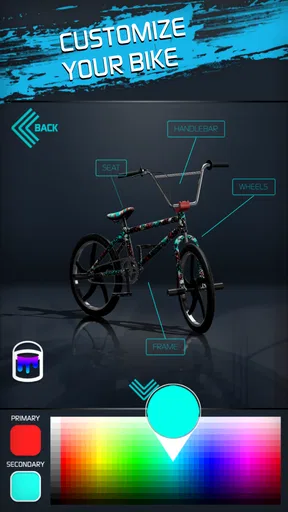
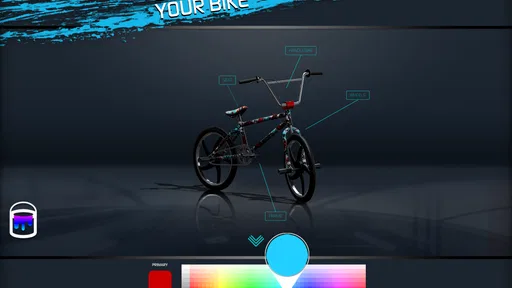
- Large selection of bikes, parts, and visual customization options.
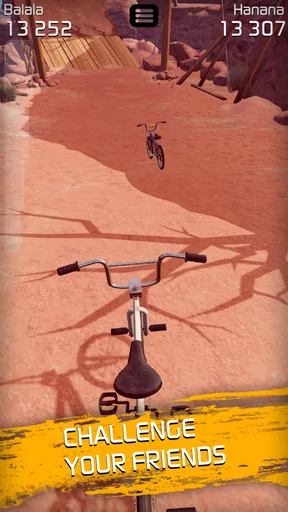
- Global leaderboards add competitive replay value.
- Levels feature varied ramps, jumps, and challenging environments.
- Simple touch controls are easy to learn but difficult to perfect.
Limitations of Touchgrind BMX 2
- Some bikes and customization items require in-app purchases.
- Progress can feel slow without completing difficult trick challenges.
- Precision controls may be frustrating on smaller phone screens.
- Later levels demand repeated practice to achieve high scores.
- The game may drain battery during longer play sessions.
Other Releases by Illusion Labs
View All


Similar Picks in This Category
View All
8 Ball Pool
Miniclip.com4.8

Pooking - Billiards City
AIM TOP GAME TECHNOLOGY LIMITED - pool4.6

Carrom Pool: Disc Game
Miniclip.com4.4

EA SPORTS FC Soccer Mobile 26
ELECTRONIC ARTS4.6

World Soccer League
mobirix4.3

Soccer Cup 2026: Football Game
INLOGIC SPORTS - football tennis golf soccer4.3
Frequently Asked Questions
What is Touchgrind BMX 2?
Touchgrind BMX 2 is a physics-based BMX riding game for Android and iOS. Instead of using traditional on-screen buttons, you control the bike with touch gestures, guiding the rider through ramps, rails, jumps, and other obstacles. The game focuses on performing tricks, completing challenges, unlocking bikes and locations, and improving your scores through practice and precise timing.
How does the control system work in Touchgrind BMX 2?
The game uses a two-finger touch-control system that can feel unusual at first. One finger generally controls the bike’s movement and balance, while another helps you steer, rotate, and perform tricks in the air. Successful landings require careful timing, so new players may need several attempts before the controls feel natural. Practicing in different environments is the best way to improve.
Is Touchgrind BMX 2 free to download and play?
Touchgrind BMX 2 can be downloaded for free, but it includes optional in-app purchases. Players can progress without immediately spending money, although some bikes, customization options, upgrades, or other content may require additional purchases or extended gameplay. The app may also include advertising or premium elements depending on the platform and current version, so checking the store listing is recommended before downloading.
Can Touchgrind BMX 2 be played offline?
Many of the core riding and trick challenges in Touchgrind BMX 2 can generally be enjoyed without a constant internet connection, which makes it suitable for short gaming sessions while traveling. However, an internet connection may be needed for downloading the game, receiving updates, accessing certain online features, viewing advertisements, synchronizing progress, or completing purchases. Offline availability can vary after updates.
Is Touchgrind BMX 2 suitable for beginners and children?
Touchgrind BMX 2 is easy to start but difficult to master because its gesture-based controls demand coordination and patience. Beginners can learn the basics through repeated practice, while experienced players will find deeper challenges in combining tricks and landing accurately. The game is generally appropriate for a broad audience, but parents should review its age rating, advertisements, and optional in-app purchases before allowing children to play.
Play our best games!


